GETTING STARTED · AI AGENT STUDIO
A question becomes
a starting point.
Meet the building blocks of Oracle AI Agent Studio through one familiar task: helping a new teammate get ready for their first day.
Chapter 1
Start with the work
Oracle Fusion Applications helps organizations manage business records and processes in areas such as HR, finance, and supply chain. A record might describe a person, a purchase request, or available equipment.
AI Agent Studio is the place within Fusion where builders design, configure, test, and publish agents, workflows, and agentic applications. Start by describing the business task and the result a person needs.
For Alex, the first task is small: explain the equipment policy and identify the next step. We can learn the parts of a larger system from that one request.
Try it: choose your starting point
Sam wants an equipment helper. Which starting point fits the situation?
I can describe the result, but need a starting design
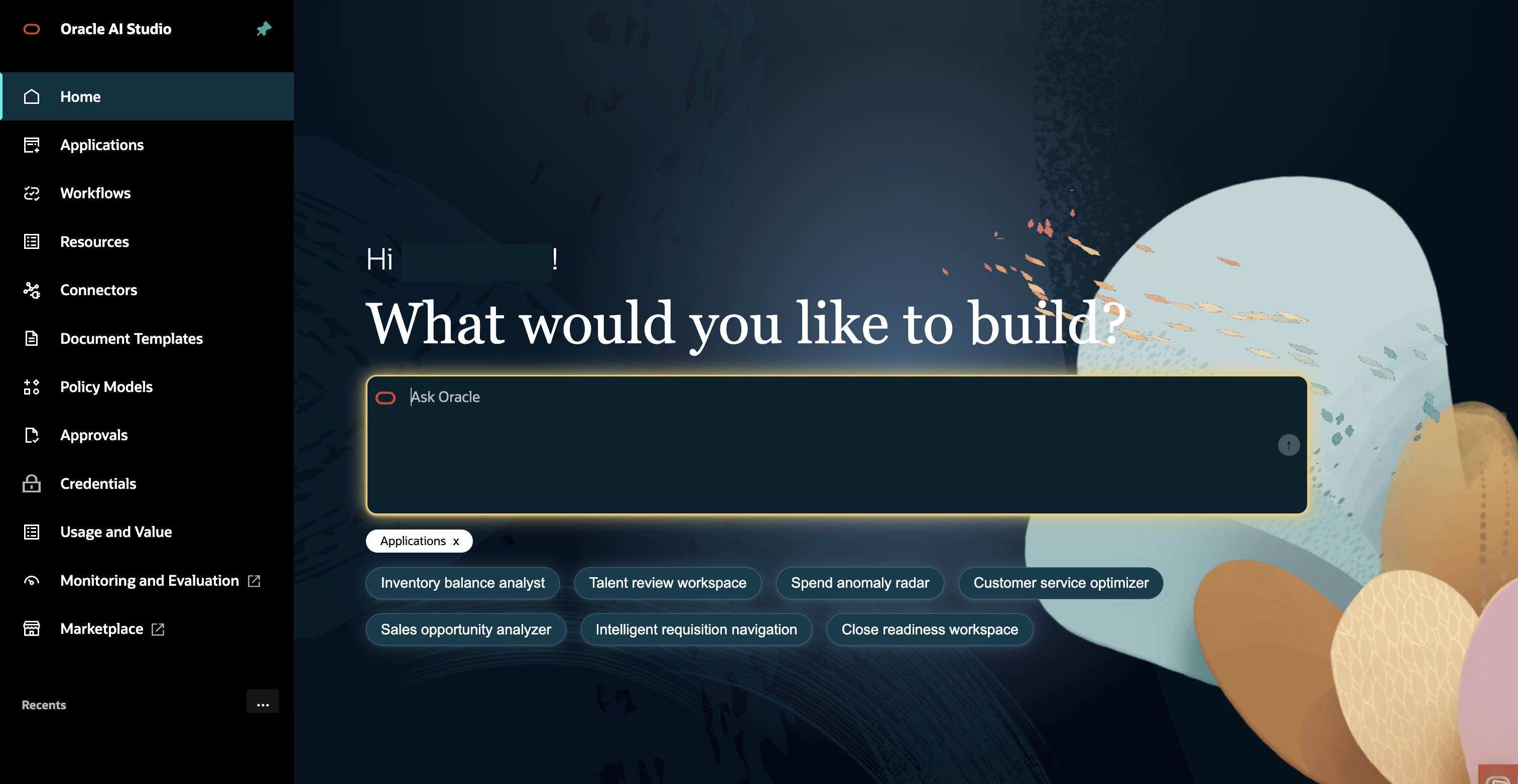
Use Ask Oracle
Describe who needs help, the task, and the expected result. Select Workflows or Applications to match what you want to create. Review and complete the proposed design.
I already know the steps and want to configure them
Build in Studio
Open Workflows or Applications and select Add. Configure a focused first version, then test it with a realistic request.
An existing or seeded example is close to what I need
Adapt a starting point
Inspect its behavior and dependencies first. Duplicate a seeded workflow or application to create an editable copy, then change only what your task needs.
Fictional learning example. Read the Oracle guidance
Oracle references: Studio components
Chapter 2
Meet the building blocks
An agent has a task. A language model helps it interpret a request and produce a response. Instructions describe how it should behave. Tools give it specific ways to retrieve information or act.
Explore the parts below. Keep Alex’s question in mind as you move between them. Each part has a different job.
Explore the parts
Agent
Uses a model, instructions, and available tools to help carry out a task.
Alex’s equipment helper answers questions and helps with the request.
Oracle references: Studio components · Configure agents
Chapter 3
Find the right information
The model alone is not Alex’s equipment policy. The answer needs relevant, authorized information. A document tool can retrieve policy content; a business-object tool can retrieve business records.
A topic supplies reusable instructions for a subject. It is not the document store itself. For example, instructions can say to use the current equipment policy and ask for clarification when details are missing.
Choose the useful source
What does this question need?
Retrieve the equipment policy
A document tool can retrieve relevant policy content. The agent uses that evidence to explain the answer.
Relevant knowledgeOracle references: Document Tool · Tool nodes
Chapter 4
Give access a boundary
Answering a policy question and reserving equipment are different capabilities. Decide what the agent needs to read, what it may change, and where a person must approve.
Credentials hold connection and authentication settings. A connector describes a configured route to another service or content source. A tool exposes the capability an agent can use. These work together, but they are not interchangeable.
For Alex’s first question, reading the policy may be enough. Reserving a laptop belongs to a later, explicitly permitted step.
Oracle references: CoE: Identity and security · CoE: Connector access
Chapter 5
Connect the parts into a service
A workflow connects steps: receive a request, check information, decide what happens next, and return a result. Some workflows use agents; a simple rules-based process may not need one.
An agentic application brings useful workflows and agents into an experience people can use: information displays, advice, actions, and communications. It is where Sam can see what needs attention and follow through.
Start small. One well-defined question and one useful workflow are easier to understand and test than an assistant expected to handle everything.
Oracle references: Create workflows · Agentic application overview
Chapter 6
Try more than the happy path
Before sharing an agent, check an ordinary question, a request with missing information, and a request outside the person’s access. Review the answer as well as the steps that ran.
Publishing makes a reviewed version available for use. Monitoring and evaluation help you understand what happens afterward. AI unit consumption and budgets are part of operating the service, not just building it.
You now have a mental map. Next, explore the Studio UI to connect these concepts to its screens. Later, the workflow guide follows Alex’s equipment request through a process.
A small challenge
Sam wants to share the helper. What should be tested?
Choose an answer to explore the reasoning. You can try again.
Explore: keep an eye on AI units
Sam’s helper is ready for a small rollout. Building it is only part of the job; its AI consumption also needs an owner.
Before people start using it
Plan the allowance
An administrator configures the total budget for a period and allocations for agents or applications. An allocation is an operating allowance, not a promise of a fixed number of answers.
While people use it
Watch consumption and warnings
Review consumption against the budget and configure warning thresholds and recipients. A warning tells the responsible people to review usage; it is different from stopping work.
When the budget needs intervention
Control new work
Budget controls can stop new processes when an applicable budget is exhausted. Administrators can also stop and resume AI-enabled work. Metering can lag slightly, so a small amount of additional consumption may be recorded before enforcement.
Fictional learning example. Read the Oracle guidance
Oracle references: Evaluation scenarios · Monitoring and evaluation
TAKE IT WITH YOU
You have a starting point.
- Explain how an agent, a model, instructions, knowledge, and tools work together.
- Distinguish a workflow from the application that presents it.
- Name the access boundaries and test situations a first version needs.
Read further with Oracle
Concepts are summarized in plain language. Product availability and setup can vary by release and configuration.
When you are ready to build and test
Continue into the official learning paths when you want hands-on product setup.
Original learning stories & interactive examples © 2026 Sourabh Biharia.
Need a quick definition? Open the glossary