LEARNING / PRACTICAL COLLECTIONS
The override fixes only the example
One test passes with a temporary configuration change; the full request still fails.
Fictional learning examples, based on public 26D references. These exercises run in your browser and do not connect to Fusion. The configuration checkpoints are planning guidance, not a verified end-to-end Fusion lab.
C09 / 26D REFERENCE
What you’ll take away
Use the first useful piece of evidence to distinguish cause from symptom.
5-8 min · Time estimate, excluding access and setup.
THE CLUES
Inspect the evidence
Override profile
Quantity two, known item
Full run profile
Unknown item, quantity two
Difference
The new condition assumes a normalized known item.
Authored evidence for this case, not a customer incident or an actual captured run.
YOUR NEXT MOVE
What would you check next?
Choose an option to explore the result.
See the diagnosis and repair
Best next step: The two runs are not the same scenario, so one passing result does not validate the change.
The repair
Repair the normalization/condition contract, validate affected profiles, and accept the intended configuration change through the supported flow. Discard unrelated temporary overrides, clear debugger aids and rerun the full affected set using the intended saved configuration.
Try a different variation
All isolated profiles pass, but the persisted full run still uses the old condition. What distinction matters?
Compare your reasoning
A temporary override and the reviewed persisted configuration are different states. Confirm the intended change and rerun without overrides.
RECOGNIZE THE CONTROLS
Inside AI Agent Studio
Actual UI controls from other example artifacts. These images do not show the fictional Starter Ready build running. Visible configuration is not execution evidence; labels and availability vary by release and permissions.
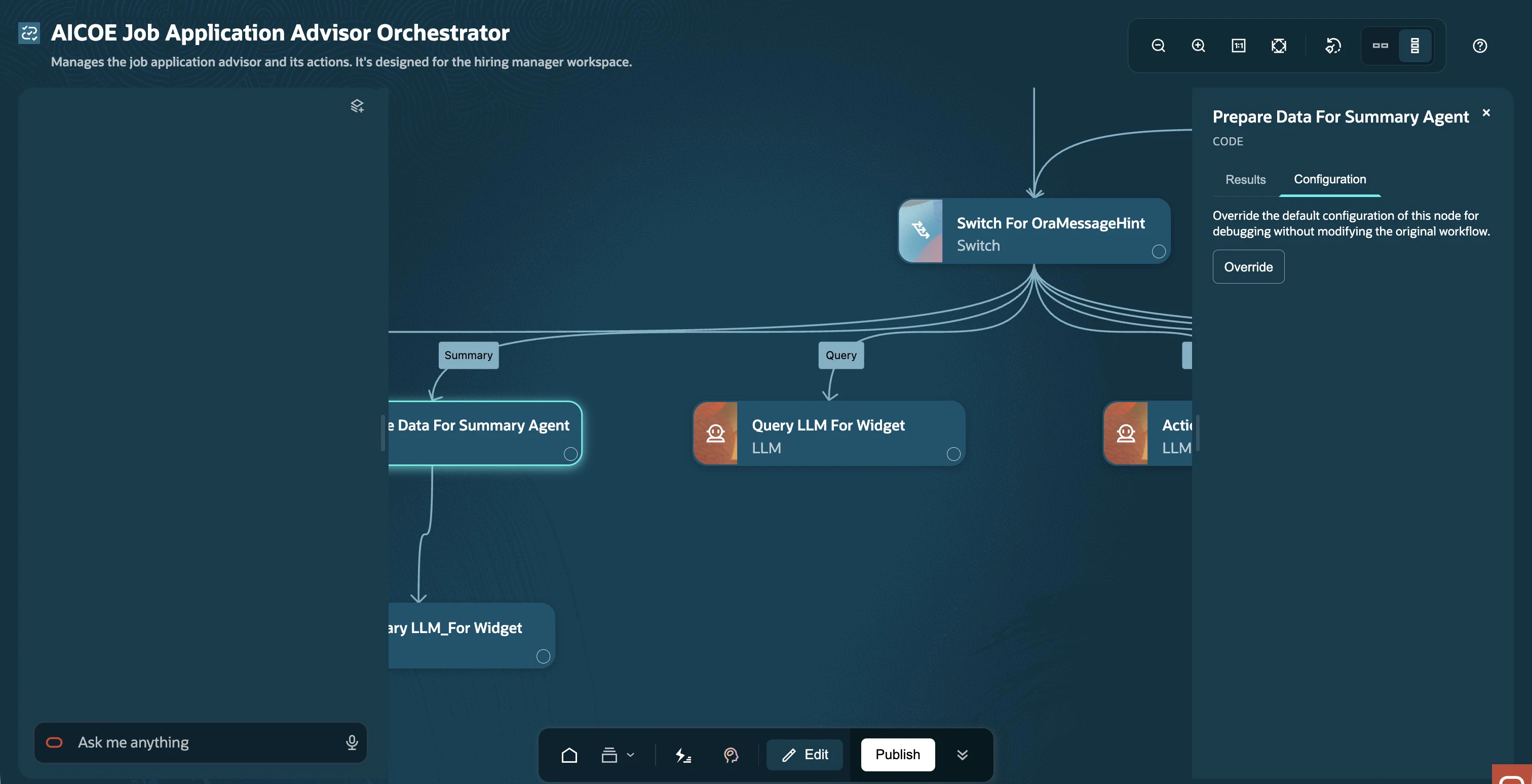
Separate configuration from results
 Enlarge screenshot
The inspector separates Results and Configuration and offers Override for a debugging configuration.
Look for: Use the two tabs to distinguish what is configured from what actually ran.
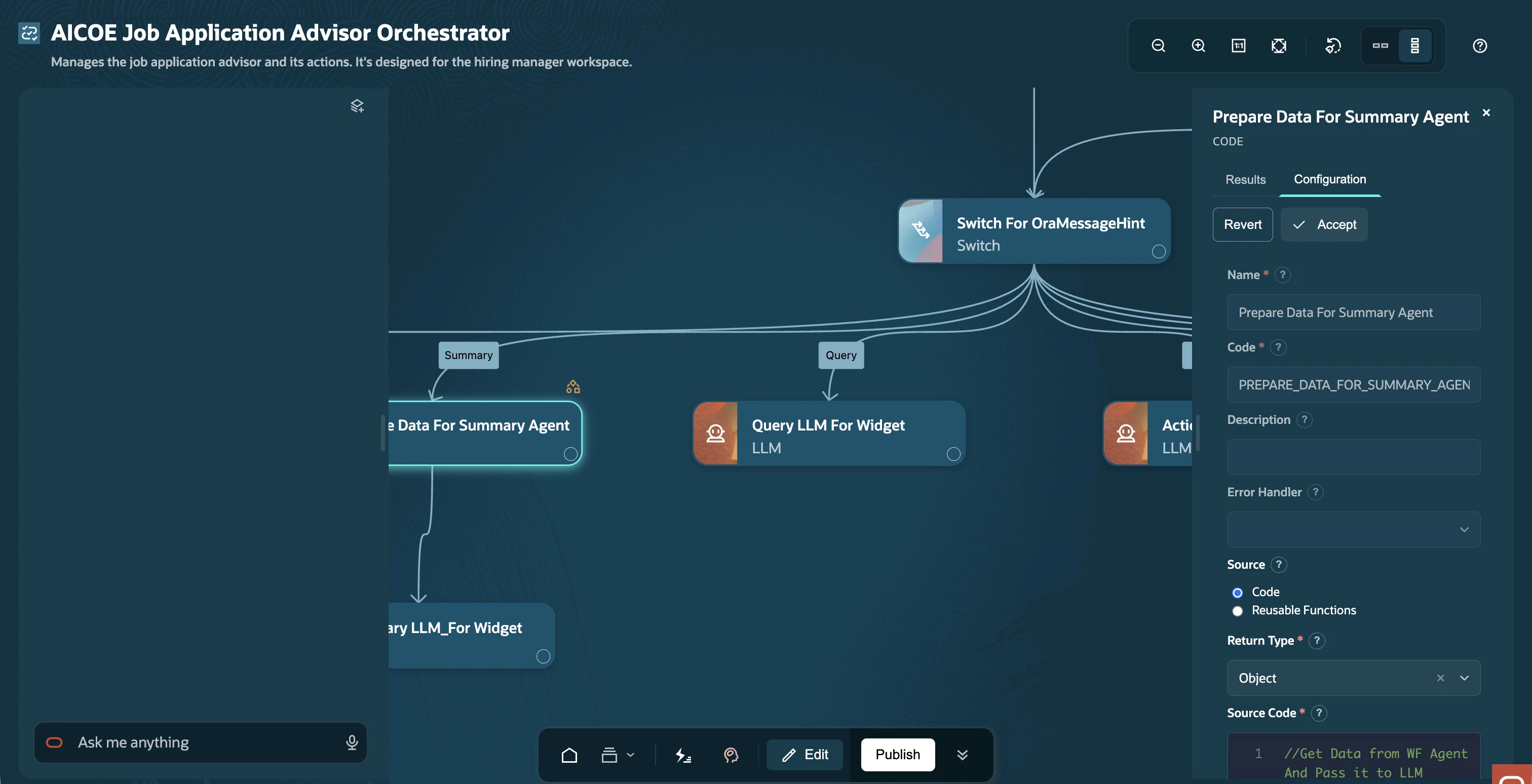
Recognize a temporary override
 Enlarge screenshot
The Configuration override editor shows Revert and Accept controls. It does not show pinned output, a successful repair or a completed workflow run.
Look for: Notice the temporary debugging controls before drawing conclusions from a rerun.
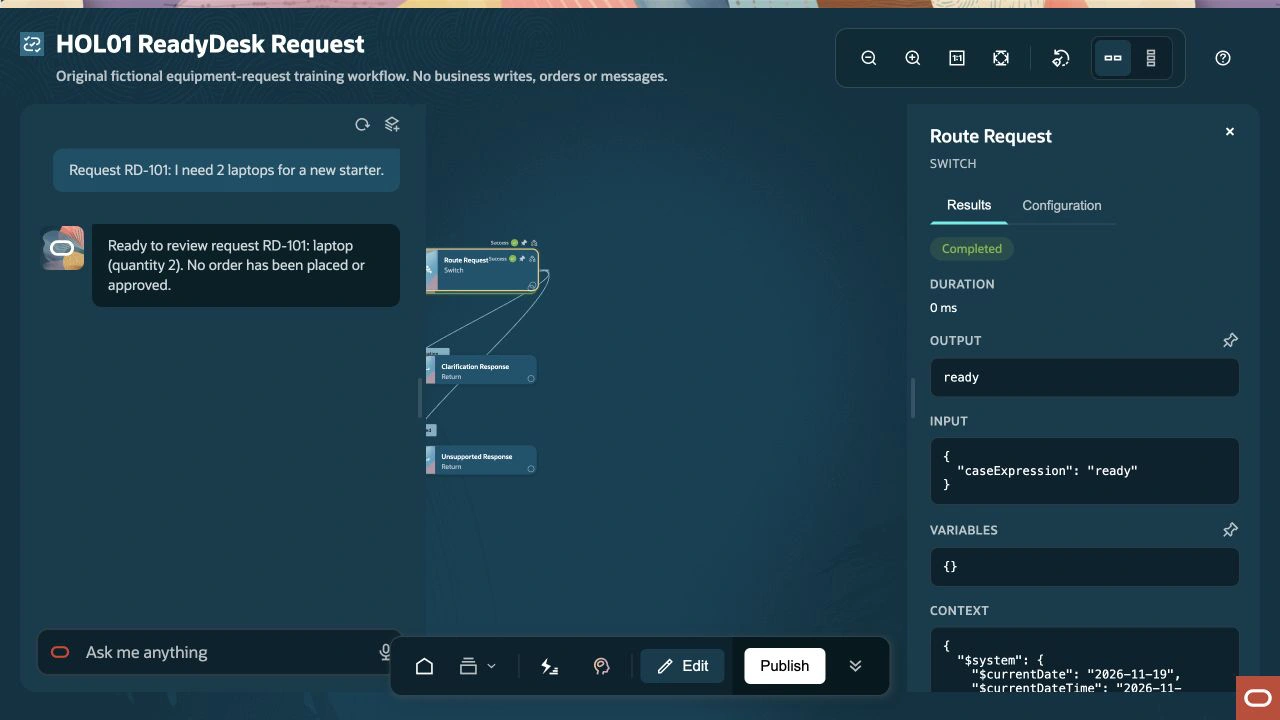
Trace an evaluated Switch
 Enlarge screenshot
The ReadyDesk Switch input evaluated to ready in this recorded run. It is a separate example from the Clinic’s authored incident.
Look for: Compare the evaluated case expression with the selected case.
Inspect a populated run profile
 Enlarge screenshot
This view contains a named fictional ReadyDesk profile and prompt. The profile configuration alone is not a passing test result.
Look for: Inspect the profile name and saved input separately from the node result.
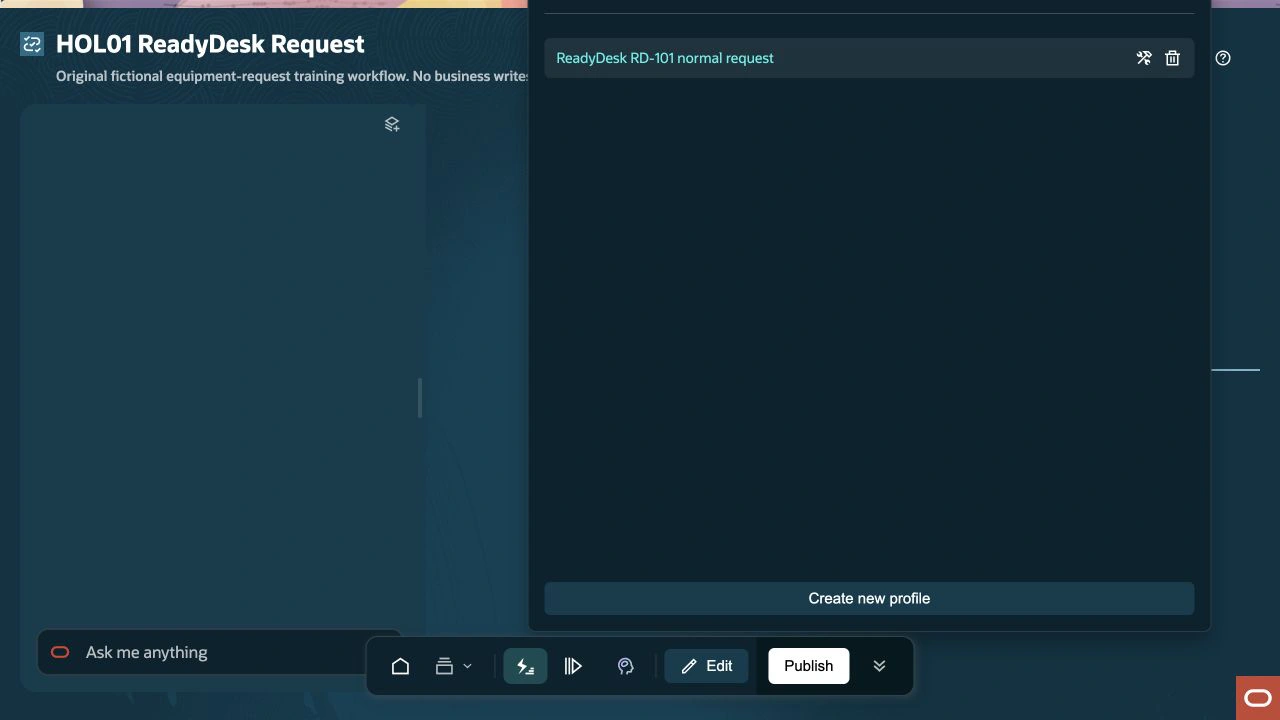
Select a saved profile
 Enlarge screenshot
The recorded RD-101 profile is selected and Run active profile is available.
Look for: Keep the saved test input, selected profile and actual result distinct.
Run the selected profile
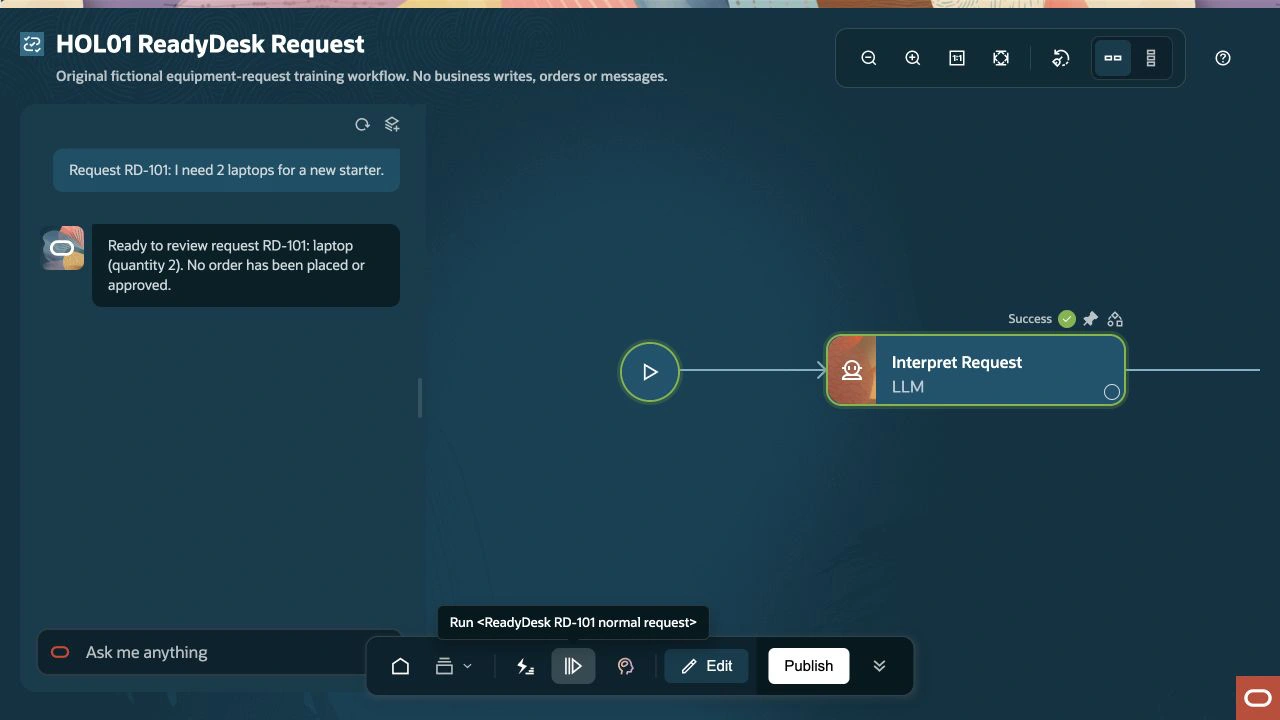 Enlarge screenshot
Run active profile executed the saved RD-101 prompt and returned laptop quantity 2 without an approval or order claim.
Look for: Keep the saved test input, selected profile and actual result distinct.
FOLLOW THROUGH
Put the reasoning into practice
- Read the symptom and available evidence.
- Choose the next diagnostic step before revealing the explanation.
- Trace the cause, propose the smallest repair, then review the full-run checks.
Expected outcome
Known, unknown and invalid inputs follow documented outcomes without a temporary configuration dependency.
CHECK YOUR WORK
What needs to hold true?
Use this checklist for your own review. It is not an automated test result.
READ THE SOURCE
Official references
Product facts come from public Oracle sources. Sample rules, data, tests and experiments are original teaching examples.
- Get Started with the Debugger Ch. 10 · Release 26D
- Override versus full run Ch. 10 · Release 26D
- Create and Use Run Profiles Ch. 10 · Release 26D
- Publishing after debugging Ch. 10 · Release 26D