GETTING STARTED · MCP
Give the helper
a useful tool.
Understand Model Context Protocol through one small external lookup. Meet the client, server, tool contract, and permissions before connecting anything.
Chapter 1
Begin with one operation
Model Context Protocol, or MCP, provides a standard way for an AI application to use capabilities exposed by an MCP server. In AI Agent Studio, you configure an MCP tool to connect agents and nodes to a compatible external server.
For our fictional example, the partner exposes a delivery-estimate tool. The helper supplies an equipment code and requested date, then uses the returned estimate to answer Alex.
Oracle references: Add MCP Tool
Chapter 2
Meet the participants
The client communicates with the server. The server exposes tools with descriptions and expected inputs. A tool call requests one of those operations and receives a result.
This guide follows the external-tool connection documented for Fusion. Confirm the operations and protocol versions supported by both ends before relying on the connection.
Explore the parts
Client
The AI application’s client communicates with the configured MCP server.
The helper requests an estimate through its MCP connection.
Oracle references: CoE: MCP concepts and setup
Chapter 3
Choose MCP for the connection
MCP is useful when the external service already exposes a suitable MCP tool. An External REST tool may fit an existing API operation instead. Choose the supported contract that matches the work and can be governed by the responsible teams.
A2A handles collaboration with another agent. For this delivery lookup, Sam needs a defined operation and its result. If a partner agent must investigate several options and manage a task, review the A2A guide as well.
A small challenge
The partner already exposes an approved delivery-estimate MCP tool. Sam needs one estimate. What is a reasonable starting point?
Choose an answer to explore the reasoning. You can try again.
Oracle references: CoE: MCP concepts and setup · A2A collaboration
Chapter 4
Map the Studio setup
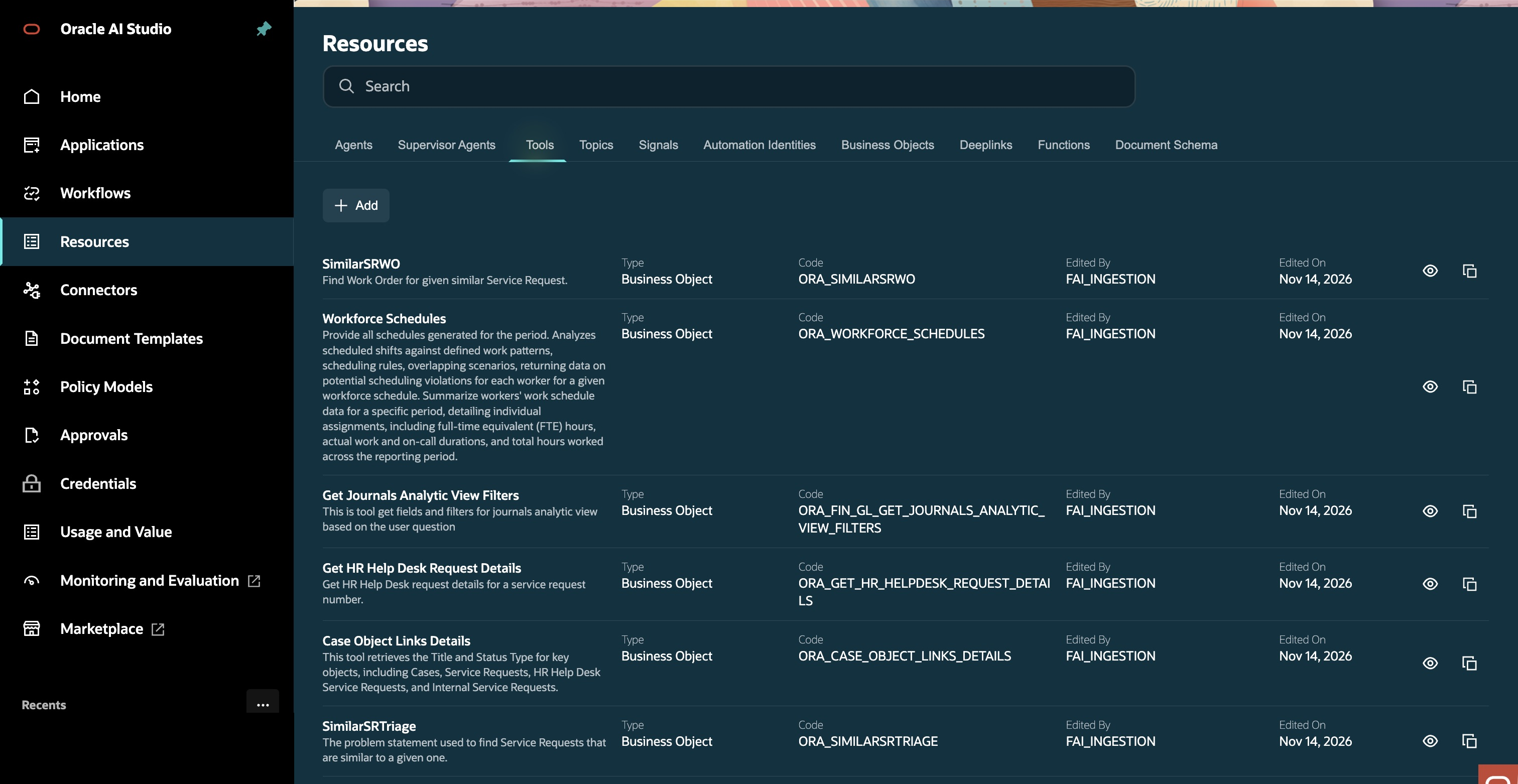
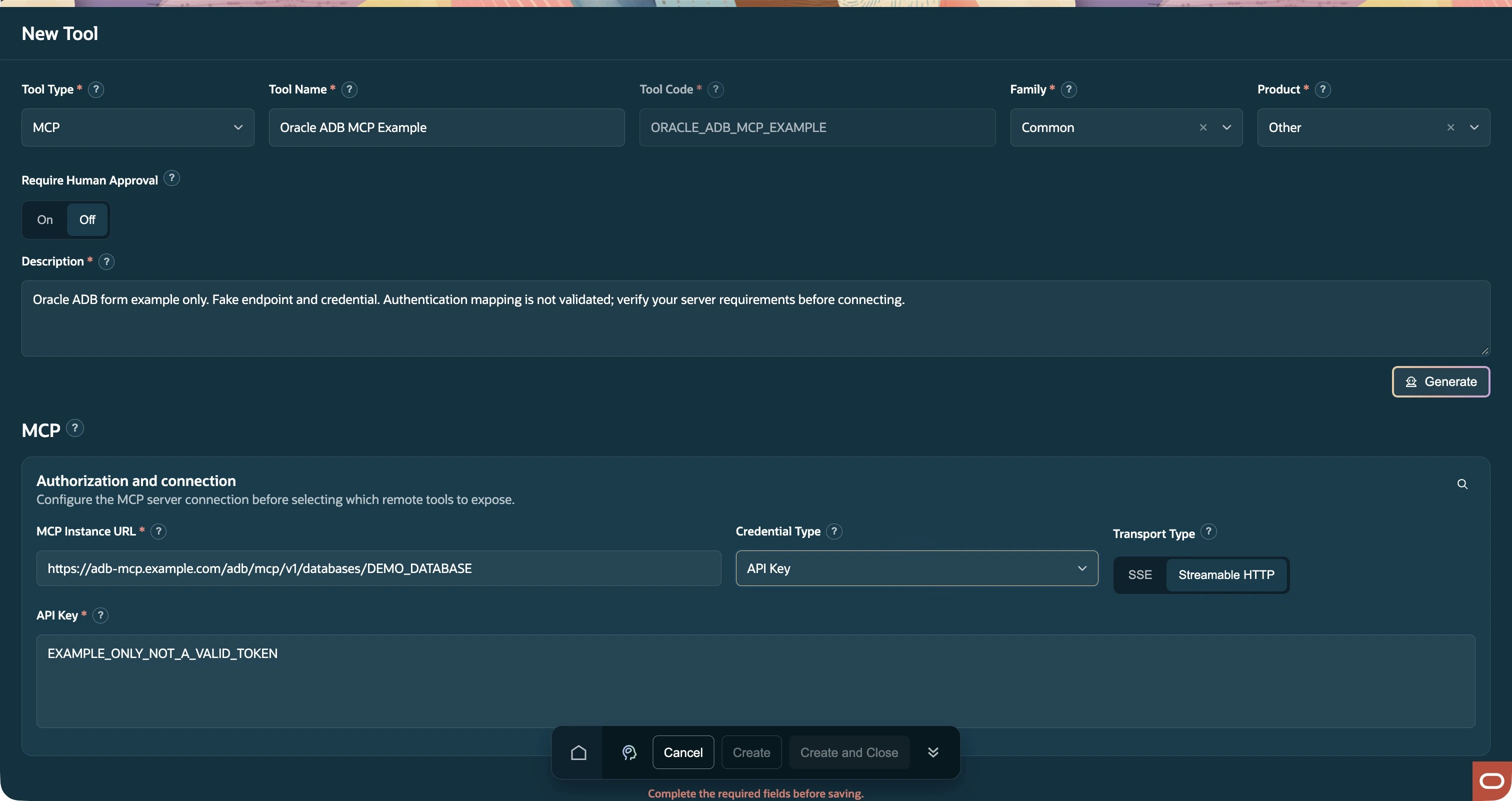
In the 26D guide, open Resources, then Tools, and add a tool of type MCP. Give it a useful description, family and product. Configure the server instance URL, compatible transport and required credential type.
Oracle documents SSE and StreamableHTTP connection choices. Use what the target server and your Fusion release support. Review the available operations and the connected identity’s permissions before assigning the tool to an agent or workflow.
Oracle references: Add MCP Tool · ADB MCP server configuration
Chapter 6
Check inputs, results, and permissions
Our example delivery tool requires an equipment code and date. If Alex gives neither, ask for the missing detail. A plausible tool name or description is not enough to invent input fields.
Suppose the connected account can read estimates but cannot reserve equipment. The helper should preserve that scope. Treat returned text as evidence to inspect, rather than permission to follow unrelated instructions.
A small challenge
The estimate request fails because the partner server is unavailable. What can the helper conclude?
Choose an answer to explore the reasoning. You can try again.
Oracle references: CoE: MCP concepts and setup · CoE: Connector access
Chapter 7
Test a small connection
For an approved real connection, check one valid lookup, missing input, access denied, and an unavailable server. Inspect the selected operation, actual arguments and returned content.
An error fetching an estimate is not evidence that delivery is impossible. Explain the missing evidence and offer a useful next step. Keep credentials in the configured connection, and use only approved sample data in tests.
Oracle references: Evaluation scenarios
TAKE IT WITH YOU
You have a starting point.
- Explain the MCP client, server, tool and input contract.
- Choose an MCP tool for a suitable external capability and distinguish it from REST or A2A.
- Check permissions and failure cases before relying on a result.
Read further with Oracle
Concepts are summarized in plain language. Product availability and setup can vary by release and configuration.
When you are ready to build and test
Continue into the official learning paths when you want hands-on product setup.
Original learning stories & interactive examples © 2026 Sourabh Biharia.
Need a quick definition? Open the glossary