LEARNING / PRACTICAL COLLECTIONS
Turn messy input into a dependable request
Alex asks for a laptop, but the incoming request says “ LAPTOP ” and the quantity arrives as text. Before adding intelligence, make the request predictable. Build a small transformation that either produces a clean request or explains what needs correcting.
Fictional learning examples, based on public 26D references. These exercises run in your browser and do not connect to Fusion. The configuration checkpoints are planning guidance, not a verified end-to-end Fusion lab.
G01 / 26D REFERENCE
What you’ll take away
Normalize fields without silently changing meaning, and separate a rejected request from a technical failure.
20-30 min · Time estimate, excluding access and setup.
TRY THE IDEA
A small browser exercise
Explore the sample behavior before considering a sandbox build.
THE CONTRACT
Worked example
Sample input
{
  "requestId": "REQ-101",
  "item": " LAPTOP ",
  "quantity": "2"
}
Expected result
{
  "requestId": "REQ-101",
  "item": "laptop",
  "quantity": 2,
  "status": "valid"
}
Try an invalid input
{
  "requestId": "REQ-102",
  "item": "laptop",
  "quantity": "two"
}
Expected validation response
{
  "status": "needs_correction",
  "field": "quantity",
  "message": "Enter a whole number from 1 to 10."
}
RECOGNIZE THE CONTROLS
Inside AI Agent Studio
Actual UI controls from other example artifacts. These images do not show the fictional Starter Ready build running. Visible configuration is not execution evidence; labels and availability vary by release and permissions.
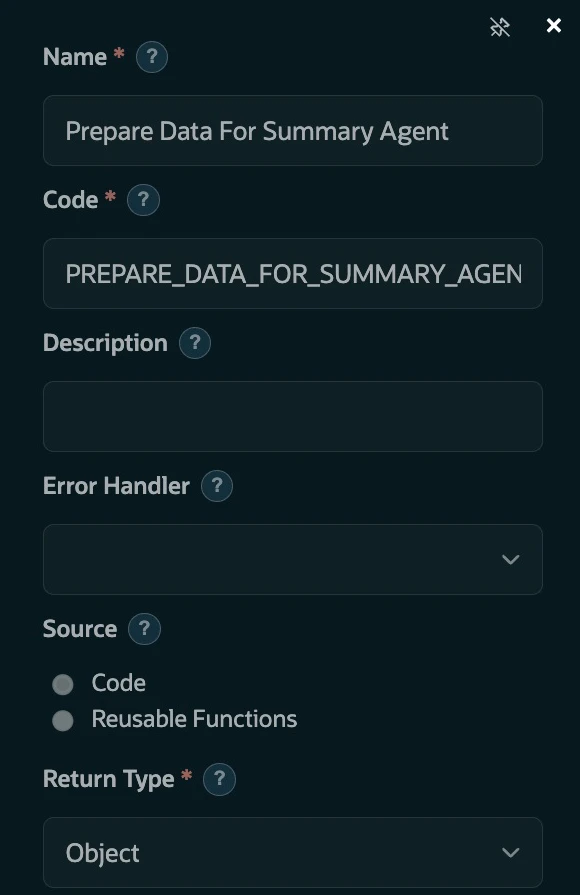
Choose a Code node return type
 Enlarge screenshot
A close view of actual Code node properties. This node is configured with an Object return type; its complete output contract is not shown.
Look for: Match the configured return type to the object expected by the next step. This is configuration, not a validated transformation result.
Inspect the real result wrapper
 Enlarge screenshot
The actual validation output wraps its business object under result. This is the separate ReadyDesk rehearsal, not a universal node-output contract.
Look for: Find result.status and compare the actual wrapper with the binding you are using.
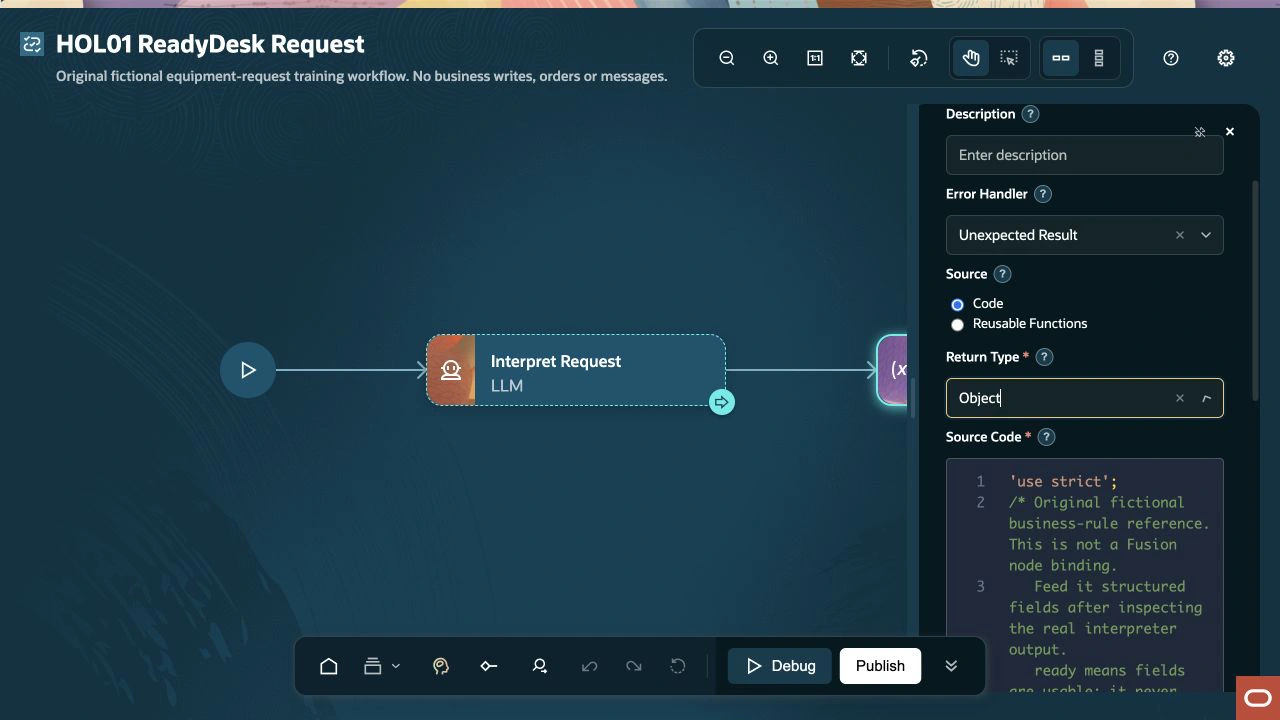
Inspect a configured Code result type
 Enlarge screenshot
Object is selected in the actual ReadyDesk validation node. The exact wrapper is shown separately in its debugger result.
Look for: Compare configured return type with observed runtime structure.
BUILD CHECKPOINTS
Plan the sandbox version
- Write the accepted input and output contract before opening the editor. For this exercise, requestId is a nonempty sample identifier, item must normalize to laptop or monitor, and quantity must be a whole number from 1 to 10. The ceiling is an authored lab rule.
- Plan Start → Code transformation → Switch on validation status → separate accepted/needs-correction responses. Confirm actual node names and supported mappings during implementation.
- Normalize the item name against that allowlist. Convert quantity only when the complete value is a valid positive integer within the lab bound. Preserve request ID.
- Return a small structured error for invalid values. Never guess a missing quantity.
- Create named test profiles, inspect the node handoff, then run the complete workflow without edited output.
Expected outcome
The valid request routes to the accepted response. The invalid request asks for a corrected quantity. No equipment is ordered.
CHECK YOUR WORK
What needs to hold true?
Use this checklist for your own review. It is not an automated test result.
Sample policy, catalog and test inputs (JSON)
Before working in a sandbox
- Read the Workflows / Agents guide.
- For hands-on work: an approved sandbox, workflow-edit permission, and the verified Code node runtime. No production connection.
This browser exercise uses fictional inputs. Before implementing the configuration in Fusion, validate the node settings, bindings, permissions and expected results in your authorized non-production environment.
READ THE SOURCE
Official references
Product facts come from public Oracle sources. Sample rules, data, tests and experiments are original teaching examples.
- Create Workflows Ch. 7 · Release 26D
- Code node Oracle Fusion CoE · 2026-02-24
The browser calculation is an illustration, not a drop-in Fusion Code node configuration. Confirm the editor language and supported runtime before building.
- Create and Use Run Profiles Ch. 10 · Release 26D
- Node handoff mismatch Ch. 10 · Release 26D